Identity Provider
The Identity Provider provides a way for users to log into VC Hub using credentials stored outside of VC Hub. It supports Single Sign-On (SSO).
VC Hub can connect to two different types of Identity Providers:
- Local – The built-in Identity Provider of VC Hub.
- OpenID Connect – An external authentication provider based on the OpenID Connect protocol.
After successfully installing VC Hub, the Identity Provider list will display a built-in Identity Provider by default.
Note: Only one Identity Provider of type Local is allowed.
Add a Local Identity Provider
When the Local Identity Provider is enabled, users can log in using accounts created within the system.
Prerequisite:There must be no existing **Local Identity Provider in the system.**
- In the "Security" → "Identity Provider" list, click the "Add" button in the upper right corner.
- In the Identity Provider pop-up window, select Local, then click "Next".
- In the Add pop-up window, enter a name, then click the "OK" button to complete the addition.
Add an OpenID Connect Identity Provider
You are allowed to create multiple OpenID Connect type Identity Providers.
- In the "Security" → "Identity Provider" list, click the "Add" button in the upper right corner.
- In the Identity Provider pop-up window, select OpenID Connect and then click "Next" to proceed.
- In the Add pop-up window, complete the setup, then click the "OK" button to finish the addition.
Properties
| Name | Description |
|---|---|
| Name | The name of the Identity Provider. |
| Description | The description of the Identity Provider. |
| URL | The URL of the OpenID Provider configuration file. |
| Redirect URL | After OpenID Connect authentication succeeds or fails, the Identity Provider will redirect the user's browser to the VC Hub URL. |
| Client Id | The unique identifier assigned by the Identity Provider to each OpenID Connect client application. |
| Client Secret | The confidential credentials used to authenticate the OpenID Connect client, equivalent to a "password". |
| Scope | Through scopes, VC Hub tells the Identity Provider which user information it needs access to. For example: 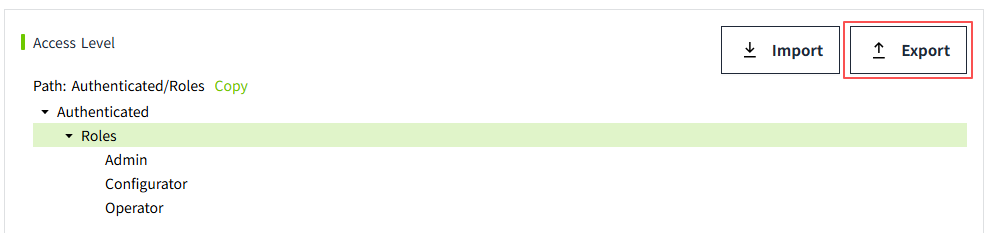 This means that VC Hub is requesting access to the user's roles and email address. This means that VC Hub is requesting access to the user's roles and email address. |
Important Nodes
According to the OpenID Connect (OIDC) protocol, when integrating a third-party Identity Provider (such as Auth0) into VC Hub, it is necessary to configure the login callback URL (Redirect URI) and logout callback URL (Post Logout Redirect URI) of VC Hub on the third-party platform.
When a project file is exported from the original server and imported to a new server, OIDC validation will fail if the new server’s address is not registered with the third-party Identity Provider, resulting in users being unable to log in. Therefore, after migrating the project, the new server’s callback URLs must be added to the existing configuration on the third-party platform (e.g., in the Auth0 management console).
Example for Auth0: In the application's Allowed Callback URLs and Allowed Logout URLs fields, append the new server's address to the existing list, separated by a comma.
For example: