SIEMENS S7
The Siemens driver in VC Hub supports the basic connection to S7 devices. Currently, VC Hub has drivers for the following Siemens PLCs:
- S7-300
- S7-400
- S7-1200
- S7-1500
Connecting to SIEMENS Devices
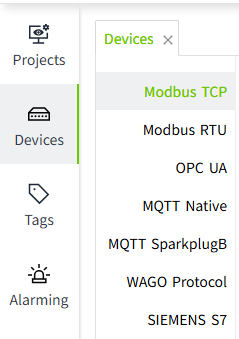
- On the "Devices" -> "SIEMENS S7" screen, click the "Add" button.
- On the Add page, leave all the default values and enter the following information in the following fields (Note: The following data is only an example, please fill in according to the actual situation).
- Device Name: Siemens 1200
- Model: S7-1200
- Host: Enter the IP or domain name of the device, e.g. 100.10.4.12
- Port: 102
- Rack: 0
- Slot: 2
- Frequency: 1000
- Click on the "OK" button. The data will now be displayed in the device list page of the SIEMENS S7. The status column only indicates the start/stop status of the driver, it does not represent the real connection status with the device.
- Click the Enable button in the Enable Status column to enable the device.
Configuration Fields
| Name | Description |
|---|---|
| Device Name | The name of the device connection. |
| Model | The model number of the device. Includes S7-300, S7-400, S7-1200, S7-1500. |
| Host | The domain name or IP address of the device. |
| Port | The port to use when connecting to the device. |
| Rack | The rack number where the device is located. |
| Slot | The slot number assigned to the CPU. |
| Frequency | The frequency of data acquisition in milliseconds. |
| Connection Timeout | Connection timeout in milliseconds. |
| Read Data Timeout | Timeout for reading data, in milliseconds. |
| Write Data Timeout | Timeout for writing data, in milliseconds. |
Note:
- In the device list, The Enabled Status indicates whether the device has been enabled or not, unenabled devices will not connect and enabled devices will try to connect; the Connection Status indicates whether the device has successfully established a communication connection with the system.
- Enable All and Disable All are to enable or disable all data in the list.
- Shared connection of multiple devices under the same IP is not supported for the time being.
- Per-bit writes are not supported for Bool tags; each write value overwrites the previous byte.
- For S7-1200 and S7-1500, the following precautions and configuration changes must be made:
- Optimized block access must be turned off.

- The access level must be "full" and the "connection mechanism" must allow GET/PUT.

- Only the Global DB can be accessed.
- Reads and writes are not supported in the Timer (TM) and Counter (CT) areas.
- Optimized block access must be turned off.
Binding to tags
Bind tags to data in the Siemens PLC.
- Creating an I/O tag.

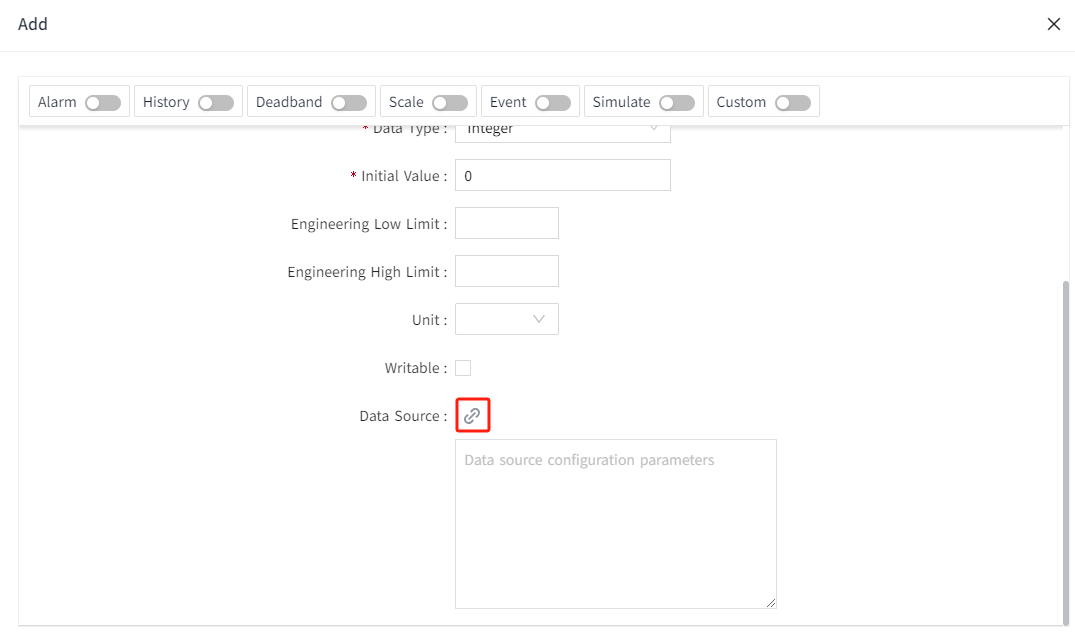
- On the add window, click the binding button for the data source.

- In the pop-up data source window, select the created Siemens device and enter the following information in the following fields (Note: The following data is only an example, please fill in according to the actual situation).
- Parameter Type: DB
- DB No.: 2
- Data Type: Int
- Address Offset: 4

- Click the " OK " button to complete the setup.
Configuration Fields
| Parameter Type | |
|---|---|
| Name | Description |
| I | Inputs |
| Q | Output |
| M | Flags |
| DB | Data block |
| Supported Data Types | |
| Name | Description |
| Byte | This data type is displayed when the data type of the tag is Integer. |
| Word | This data type is displayed when the data type of the tag is Integer. |
| LWord | This data type is displayed when the data type of the tag is Integer. |
| DWord | This data type is displayed when the data type of the tag is Integer. |
| Int | This data type is displayed when the data type of the tag is Integer. |
| SInt | This data type is displayed when the data type of the tag is Integer. |
| UInt | This data type is displayed when the data type of the tag is Integer. |
| UDInt | This data type is displayed when the data type of the tag is Integer. |
| Dint | This data type is displayed when the data type of the tag is Integer. |
| Real | This data type is displayed when the data type of the tag is Double. |
| LReal | This data type is displayed when the data type of the tag is Double. |
| Bool | This data type is displayed when the data type of the tag is Bool. |
| Char | This data type is displayed when the data type of the tag is String. |
| String | This data type is displayed when the data type of the tag is String. |
| Date | This data type is displayed when the data type of the tag is DateTime. |
| Address Offset | The starting address for reading and writing. |
| Bit Offset | This field is displayed when the tag's data type is Bool. The offset is always treated as one byte. |