Data Partitioning and Deletion
The history database will partition data into separate tables based on time settings so that a table does not grow indefinitely, and then delete old data to ensure that the system maintains query performance. When creating a configuration, partitioning will be enabled by default to improve query performance. Only when the query time range includes partitioned data will the appropriate partition be queried, thus avoiding querying inapplicable partitions and reducing database processing. On the other hand, the system must execute a query for each partition hit, so it is best to avoid using very large partitions, as well as partitions that are too small and have too much data fragmentation. When creating a configuration, choosing the right partition size based on the amount of business analytics data available will improve query and storage efficiency.
The data cleanup feature will delete partitioned data (raw and preprocessed partitioned tables) whose data is older than a specific period of time
Note: When InfluxDB is selected , there is no configuration for partitioning, pre-processing, and data cleaning (InfluxDB itself has the above configurations, VC Hub does not provide this configuration).
Data Partitioning and Deletion
- On the "Databases" -> "History Database" screen, click the "Add" button.
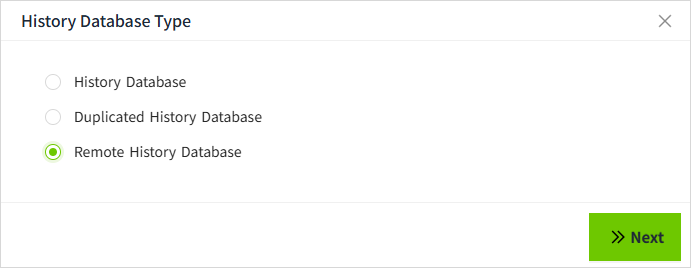
- In the following pop-up window, select History Library and click "Next" button.
- Configure data partitioning and data pruning in the following screen.

Configuration Description
| Configuration Item | Description |
|---|---|
| Enable Partitioning | Whether to partition the stored historical data. |
| Partition size | The size of the data storage partition. According to the partitioning rules, data with the same rules will be stored together. Daily: A new table will be created daily to store history records Weekly: A new table will be created weekly to store history records Monthly: A new table will be created monthly to store history records Quarterly: A new table will be created quarterly to store history records Half-yearly: A new table will be created half-yearly to store history records Annually: A new table will be created annually to store history records |
| Enable Data Pruning | Whether or not to delete historical data that exceeds the data cleanup time configuration. |
| Prune Range | The data retention time beyond which the configured data will be deleted. |