Scalar Query
Example
Query the total number of people in the database, and display the query results on the screen.
Steps
Creating a database connection
On the "Databases"->"Database Connection" page, create a new database connection named TestSQLQuery.
There is a table named person_management in the database, which is used to store personnel information. Its structure is as follows:
| Id | name | gender | age | |
|---|---|---|---|---|
| 1 | Alice Johnson | alice@example.com | Female | 18 |
| 2 | Bob Smith | bob@example.com | Male | 19 |
| 3 | Charlie Brown | charlie@example.com | Male | 19 |
| 4 | Diana White | diana@example.com | Female | 18 |
| 5 | Edward Green | edward@example.com | Female | 20 |
Create SQL Query
- Create the project, click the Design button in the action bar to enter the 2D editor.
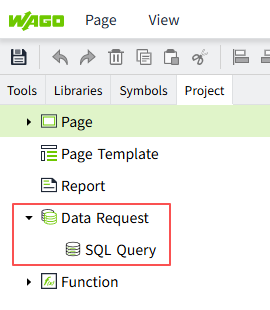
- Create an SQL Query by right-clicking on the SQL Query node in the 2D editor and selecting Add button.

- In this example, we set the name of this SQL Query to ScalarQuery.

- Database Connection: Select an item whose status is "Connected "in the "Databases" ->"Database Connection" list. Here we select the TestSQLQuery already created in Step 1.
- Query Type: In this case, the result of the execution returns a value, so we choose Scalar Query.
- Fallback Value: Data returned if the SQL statement fails.
- SQL Editor: Write the following query to find the total number of people in the
person_managementtable.
- Click the "Test" button to see the results.

Use Scalar Query
- Find 'Label' and 'Button' controls in the Tools window of the design page and drag them to the page.

- Select the button control and click the icon pointed by the arrow to open the configuration page of the action.

- Configure the mouse pressed event for the button, query the total number of people each time the button is clicked, and display the result in the Label control.

- Click the preview button on the page, and press the button on the preview page to query the total number of people.
